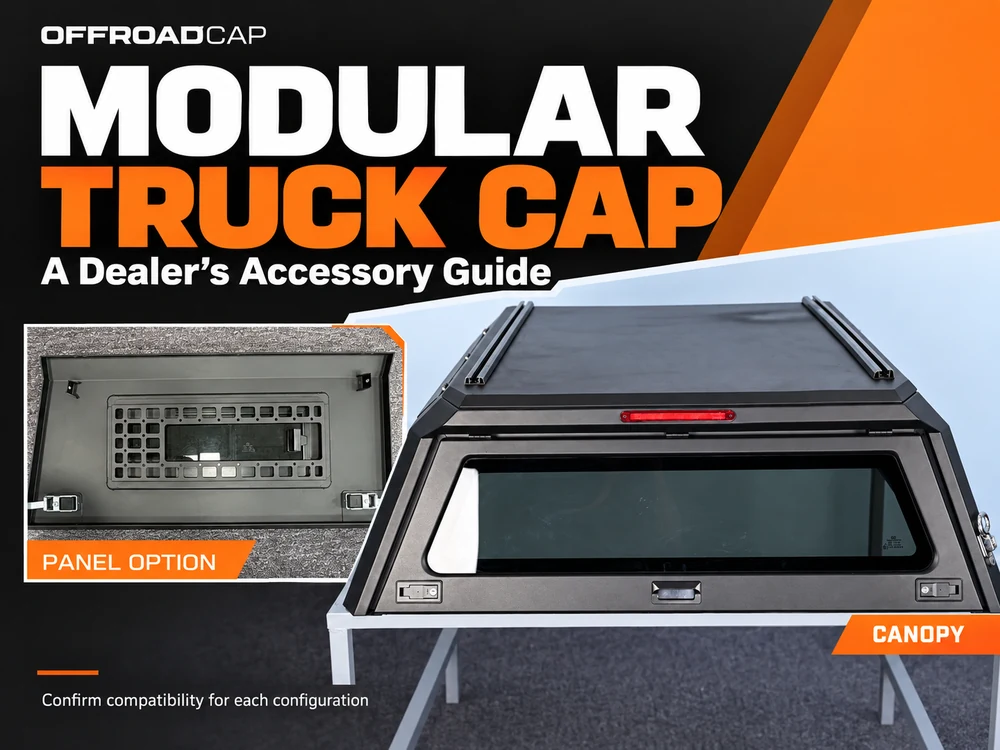
A modular truck cap should give a dealer a clear way to specify compatible equipment. Before building a product range around that description, establish which parts are selectable, how they attach and which canopy versions they fit.
For OFFROADCAP enquiries, the documented starting point is an aluminum canopy with separately identified accessory options. This guide uses real catalogue references to explain how distributors can organise those combinations. For enclosure construction, roof profiles and vehicle fitment, begin with our aluminum canopy buyer’s guide.
What Does Modular Mean in a Truck Cap Specification?
Separate two questions: can the enclosure be assembled or serviced in sections, and can accessories be selected for defined mounting locations? A supplier may offer one, the other or both. Ask which meaning applies to the quoted product.
An accessory-compatible design does not establish that every shell panel is removable or that a window can be exchanged for a solid door after purchase. Likewise, a canopy supplied in multiple packages still needs a model-specific assembly procedure.
OFFROADCAP’s published range includes storage boxes, hanging panels and roof equipment. Use those documented options to start the discussion. Confirm shell construction, delivery format and any proposed panel changes separately for the selected canopy.
Give the Canopy and Each Accessory Their Own Records
For a modular truck cap system, keep the base enclosure specification separate from the accessory list. Record the vehicle make, model, year, cab type, bed specification and destination market. Add the canopy version, door layout and order reference.
For each accessory, record its reference, position, quantity, mounting components and approved canopy application. Mark whether it is factory fitted or supplied for local installation. A sales photograph should be supported by this equipment list.
The OFFROADCAP accessory range provides product options to discuss. Their availability in the same catalogue does not, by itself, approve every possible combination.
Real Catalogue Examples: Similar Accessories Have Different Applications
OFFROADCAP’s product list distinguishes roof-rack versions by stated canopy-length range and interior hanging panels by glazing and pickup category. These differences matter when a dealer decides which items can share a stock description.
| Catalogue reference | Recorded option | What to confirm before combining |
|---|---|---|
| HM0148 | Luggage rack labelled for 5.0–5.8FT canopies. | Selected canopy, support positions and complete mounting hardware. |
| HM0271 | Extended version of HM0148, labelled for 6.0–6.8FT canopies. | The required longer version and its mounting arrangement. |
| HM0182-04 | Interior hanging-panel option for the small-glass side configuration. | Glazing layout, left/right positions and the attachment interface. |
| HM0182-05 | Full-glass side interior hanging-panel option for big pickups. | Pickup category, door version and clearance behind the panel. |
| HM0182-06 | Full-glass side interior hanging-panel option for small pickups. | The corresponding small-pickup canopy and mounting points. |
These are catalogue distinctions, not a universal compatibility list. In particular, “small glass” describes a glazing configuration; it should not be confused with “small pickup”. Confirm both fields when selecting a panel.
The internal HM references identify entries in the supplied product list. Ask the team to confirm any correspondence with public product codes before using them together on an order. For panel positions and equipment holders, see our canopy MOLLE panel guide.
Source: OFFROADCAP product list, Accessories worksheet, rows 9–10 and 41–43. Confirm the current references, availability and application with the quotation.
Build a Compatibility Matrix for the Dealer Range
For a modular truck canopy enquiry, create a matrix that connects each proposed accessory to a specific canopy version. Use explicit entries such as “confirmed for this version”, “requires a different fitting kit” or “awaiting confirmation”.
Record the interface as well as the product name. A roof accessory needs the approved rail or support arrangement. A hanging panel needs the corresponding attachment points and space behind it. Storage must leave the required cargo route available.
A matching thread size or similar hole spacing is only part of the connection. Confirm the specified fasteners, brackets and permitted loading conditions. Use our roof-rack load and fitment guide for roof equipment.
Keep the matrix under a revision reference. If a canopy, door or accessory changes, review the affected combinations before carrying its approval across to another order.
Approve the Complete Combination on a Sample
Review the proposed modular truck topper with the intended accessories fitted together. Check the vehicle application, then demonstrate the tasks the customer will perform. A separate product inspection may miss interference between neighbouring components.
- Open and close every door with the selected accessories in position.
- Check access to handles, latches, windows and any fitted controls.
- Load and remove representative equipment through the intended route.
- Review panel attachments and any equipment carried on moving doors.
- Record the fitted layout, hardware and applicable load information.
Have the supplier assess changes to a moving door’s fitted weight and support arrangement. Our side-door and hardware guide explains the relevant access checks. For assembly and vehicle mounting, follow the selected model’s instructions alongside our installation guide.
Turn Approved Combinations Into Repeatable Sales Packages
Once the combinations are confirmed, give each dealer package a written equipment list. Identify the base canopy, included accessories, loose fitting parts and local installation work. Keep optional additions separate from the standard package.
For stock planning, group accessories only where compatibility has been confirmed. Similar appearance does not justify treating two references as interchangeable. Where an item is awaiting approval, retain it as a proposed option rather than presenting it as ready to fit.
Keep service information with the package: product identification, component photographs and the approved parts list. Confirm replacement availability and identify whether service involves a component or a larger assembly. Our replacement-parts guide covers identification.
When the equipment list is settled, use the supplier quote comparison guide to check what the offer includes. Confirm commercial terms for the actual model mix and quantity.
Frequently Asked Questions About a Modular Truck Cap
Does modular mean every accessory fits every canopy?
No. Confirm the canopy version, mounting interface, accessory reference and required hardware. The catalogue examples above distinguish both length ranges and glazing layouts.
Can a dealer add all accessories after delivery?
Confirm the installation stage for each item. Some proposed changes may need different mounting preparation, wiring or supplier assembly. Ask for the applicable procedure before promising a later upgrade.
Does modular construction guarantee individually replaceable shell panels?
Confirm that feature directly. Accessory mounting and shell-panel replacement are separate design questions. Request the replacement scope and procedure for the exact enclosure.
Discuss a Modular Truck Cap Accessory Plan With OFFROADCAP
Send the vehicle applications, canopy requirements, proposed accessory combinations and quantity per configuration. Identify which items should be factory fitted and what your installation team plans to complete locally.
Contact OFFROADCAP to review the accessory plan. Ask for confirmation of product references, compatible interfaces and supply scope before finalising the dealer package.